



Why Ink Dries Out And How To Stop It
Posted by Adrian Rigby on
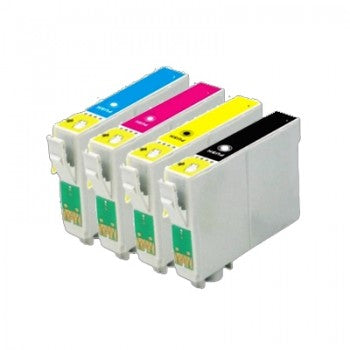
If you’ve ever gone to print an important document only to find your ink cartridge mysteriously dried up, you’re not alone. Dried-out ink is a common frustration for home and office printer users alike. Whether you’re using a top brand cartridge or a cost-effective compatible version, ink drying is an issue that can waste time, money, and productivity. In this article, we’ll explore why ink dries out, how to prevent it, and how to make your cartridges last longer.
Why does ink dry out?
Ink cartridges dry out primarily due to exposure to air. Here’s a deeper look at the most common reasons:
Infrequent use
The number one cause of dried-out ink is not using your printer often enough. Inkjet printers use water-based inks, and when a cartridge sits idle for too long, the ink near the print head can evaporate and form a clog.
Environmental conditions
Exposure to heat, dry air, and direct sunlight can speed up the evaporation process. If your printer is located near a window or a heat source, it may be accelerating ink dryness.
Poor cartridge seals
If a cartridge isn’t properly sealed or has been refilled improperly, it can allow air to seep in and dry out the ink more quickly.
Outdated cartridges
Ink cartridges have a shelf life. If you’re using old stock or expired cartridges, the ink may already be partially dried or thickened inside the nozzle.
Printer not shutting down properly
Some printers perform a self-cleaning cycle or move the print head to a “home” position when turned off properly. If you’re simply unplugging the printer instead of powering it down, this process may not happen, which can increase the risk of clogs.
How to prevent ink from drying out
Luckily, with a few simple practices, you can significantly reduce the chances of ink drying out.
Print regularly
Even if you don’t need to print anything major, running a test page or printing a small colour image once a week keeps the ink flowing and prevents clogs.
Keep your printer in the right environment
Store your printer in a cool, dry area away from direct sunlight. If the air is particularly dry, a small humidifier in the room can help reduce evaporation.
Power down properly
Always turn off your printer using the power button. This allows the printer to cap the print head, preventing air from reaching the nozzles.
Use high-quality cartridges
Cheaper cartridges may not have the same level of sealing technology as reputable brands. At AB Cartridges, we ensure our cartridges come with airtight seals and quality-tested ink formulations to reduce drying risk.
Store spare cartridges correctly
If you buy cartridges in bulk, keep them sealed in their original packaging and store them upright in a cool, dark place. Avoid placing them in extreme heat or freezing temperatures.
Use the printer’s cleaning function
Most printers have a built-in cleaning cycle that can help clear dried ink from the nozzles. Running this occasionally (especially if you notice streaky or faint prints) can keep your printer in top shape.
What if your cartridge is already dried out?
If you suspect your cartridge has dried out:
-
Run a cleaning cycle from your printer’s maintenance menu
-
Try a warm, damp cloth. Gently press the print head against a warm, damp paper towel for a few seconds to loosen dried ink
-
Soak the print head (only if removable): some advanced users soak the print head in warm distilled water, but this should be done with caution and only if recommended by the printer manufacturer.
Ink drying out is a common issue, but it’s also preventable. By understanding why it happens and following these simple preventative tips, you can extend the life of your cartridges, save money, and reduce frustration. And remember: if you’re ever in need of high- quality, affordable ink cartridges that are built to last, AB cartridges are here to help. Happy printing!



 Get Directions